

Hide sold-out products
Don't let a sold-out product hold the best spot.
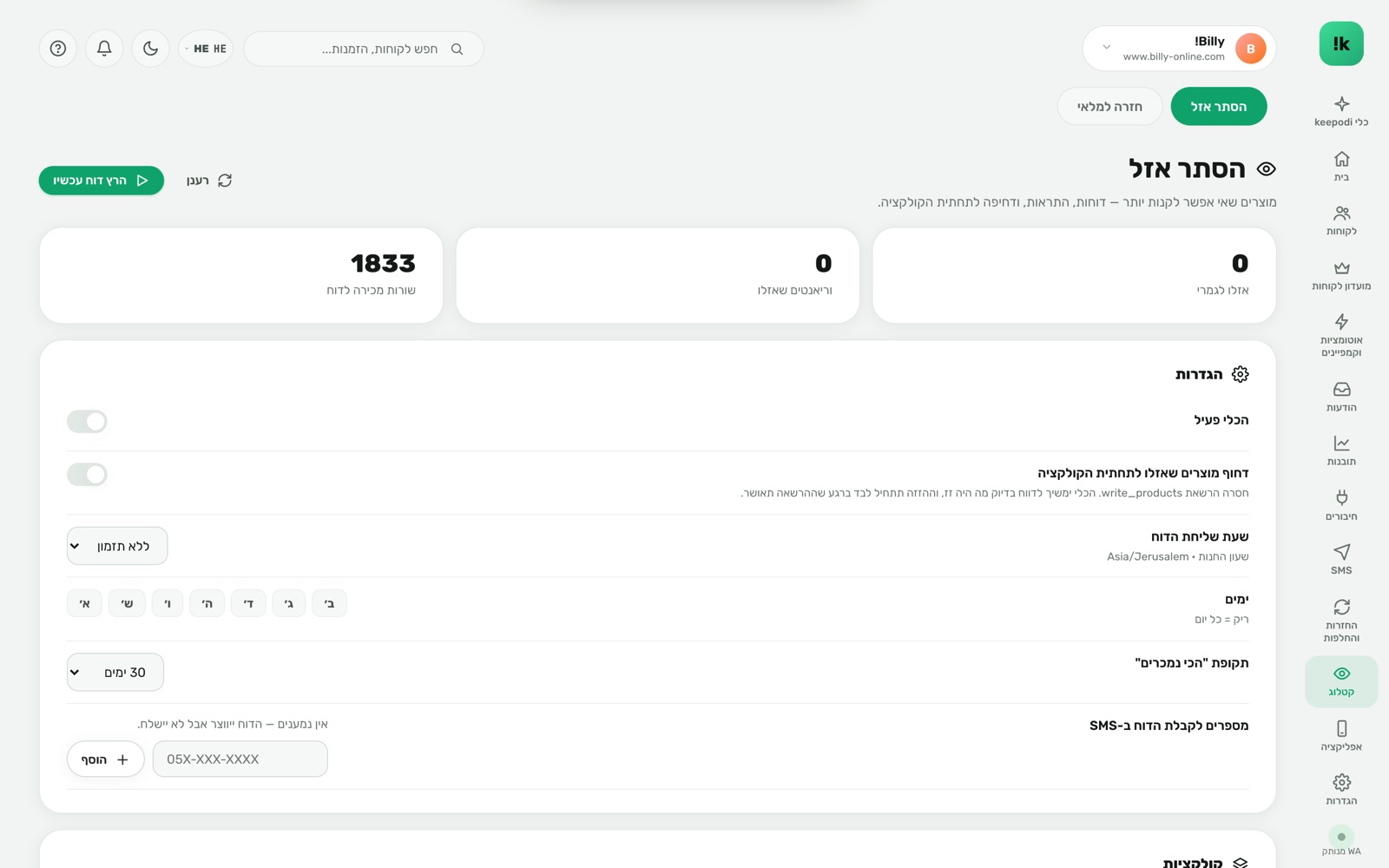
A product nobody can buy sits at the top of the collection taking clicks from ones that are in stock. keepodi finds sold-out products by what can actually be bought, moves them to the end, and texts you a stock and best-sellers report.
Built to work. For you.
Detection by real availability
Not the stock number but Shopify's "available for sale" — including continue-selling products.
Demoted to the end
In manual collections the product moves last, and returns to its spot when stock is back.
A daily report at your hour
What sold out, what came back, what sells best — by SMS to whoever needs to know.
A full report page
A link to a detailed stock page with every variant and quantity.
Dry run
Before anything moves — see exactly what would change.
Pairs with back in stock
A sold-out product gets a "notify me" button instead of a dead one.
Three steps. And it runs.
Pick collections
Which collections to sort, when to send the report and to whom.
keepodi scans
Daily, and on every stock change — sold-out products are found and sorted.
The report arrives
A short SMS with the numbers and a link to the full report.
Questions, answered
Does it delete products?
No. The product stays active and only moves to the end of the collection. When stock returns, so does its place.
What about automated collections?
Shopify does not allow manual sorting of automated collections, so the tool works on manual ones.
Who gets the report?
A list of phones you define — the owner, a stock manager, a supplier.
Now in your store.
Install from the Shopify App Store in two minutes. 14-day free trial, billed through Shopify, cancel in one click.
Install from the Shopify App Store