

Segments
Segment the audience. Speak right.
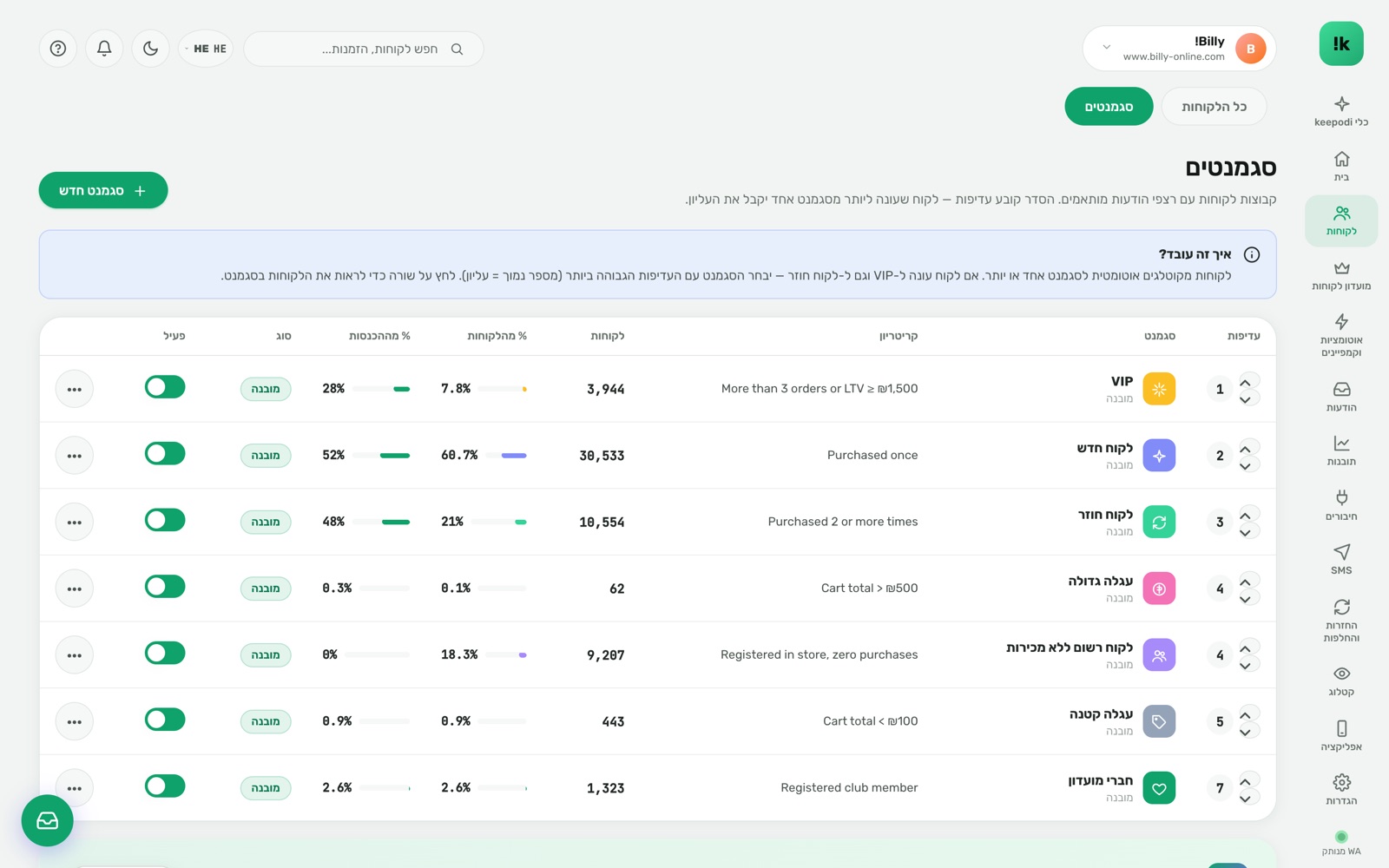
VIP, returning, new, big cart, no purchase in 90 days — built-in segments and your own by purchases, amounts, dates and tags. For each segment you see how many customers, and what share of revenue it produces.
Built to work. For you.
Built-in and ready
Ready segments that cover most cases. Edit, duplicate, switch off.
Flexible conditions
Order count, lifetime spend, last purchase date, Shopify tags, source.
Live count + revenue
How many customers, what share of customers and what share of revenue — before you pick.
Priorities
A customer matching several segments gets the sequence of the higher-priority one.
In every tool
Cart recovery, Live Push, SMS, push, club tiers — all on the same segments.
In the store currency
Amounts in segments and reports in the currency the store sells in.
Three steps. And it runs.
Build a segment
Conditions in a visual editor, count updating as you go.
Order priorities
Drag. The top segment wins on overlap.
Use everywhere
Pick a segment in any tool — same customers, same numbers.
Questions, answered
Do segments update by themselves?
Yes. They are computed in real time from synced data, so a customer moves segment the moment they qualify.
Can I combine conditions?
Yes — and/or, negative conditions included.
Is it based on Shopify segments?
No, but Shopify tags can be used as a condition.
Now in your store.
Install from the Shopify App Store in two minutes. 14-day free trial, billed through Shopify, cancel in one click.
Install from the Shopify App Store